PC Tracking Software & Remote Employee Monitoring
Manage working hours, app usage, and data security for your remote and hybrid teams from a centralized dashboard.
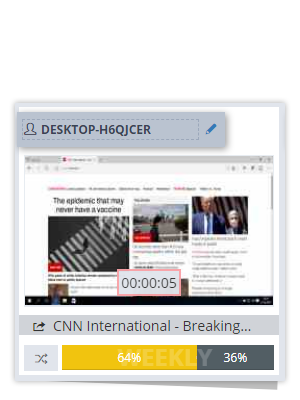
- Live Screen & History: View real-time screens or review recorded sessions to ensure workflow continuity.
- App & Website Tracking: Automatically categorize and report active time spent on specific applications and websites.
- Time & Attendance: Log active, idle, login, and logout times to accurately measure daily working hours.
- Data Loss Prevention: Detect unauthorized USB usage and prevent the transfer of sensitive corporate files.
- Boost Productivity: Identify workflow bottlenecks and plan resources accurately based on real activity data.
- Secure Corporate Data: Keep your business data safe and maintain full GDPR compliance with role-based access.
Productivity and Security Control in Remote Working Models
While remote and hybrid work models offer flexibility, they also bring risks of time loss, decreased productivity, and data leakage. You don't have to guess what your employees are actually doing during working hours and whether corporate data is secure. Make all processes transparent and measurable with an advanced computer monitoring solution.
Advanced Features for Remote Personnel Monitoring
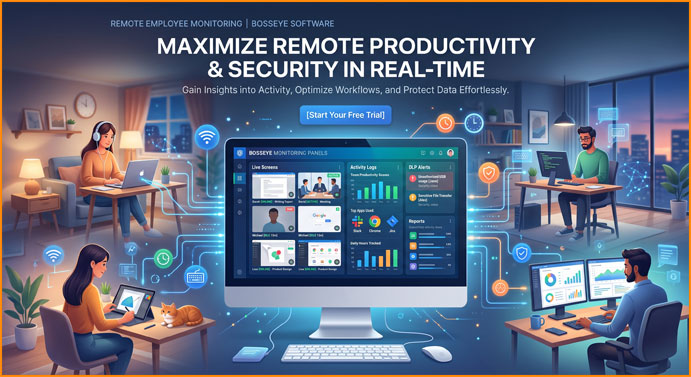
- Live Screen & History Monitoring: Watch employees' screens live or review past screen recordings as videos/slideshows.
- Application & Website Tracking: Report how much active time is spent on each program and website, categorized by type.
- Work Hours & Break Management: Automatically record computer startup, shutdown, active and idle times.
- Data Leakage & File Security: Instantly detect USB usage, file downloads/uploads, and unauthorized data transfers.
- Activity & Keystroke Logging (Optional): Analyze employee keyboard and mouse activity to determine active working time.
Advantages it provides for your company
- Increase Workforce Productivity: Identify wasted time, analyze the actual workload of teams, and plan resources effectively.
- Protect Corporate Data: Prevent the leakage of sensitive documents and customer data that should not be taken outside the company.
- Fair Performance Evaluation: Measure employee performance objectively based on tangible data and activity reports.
- Location-Independent Control: Manage all computers from a single cloud dashboard, whether at home or in another city.
Frequently Asked Questions About Remote Computer Monitoring
Q: How is the software installed on a remotely operated computer?
A: It can be installed in seconds with a single installation file link, or a mass deployment can be done via remote management tools.
Q: Does monitoring continue even when the employee is not connected to the internet?
A: Yes. Even if the internet connection is interrupted, the data is saved locally in encrypted form and transferred to the server as soon as a connection is established.
Q: Does computer monitoring slow down the employee's performance or computer?
A: No. It is optimized to use minimal system resources and runs stably in the background without being noticed.
Q: Where is the data stored and how secure is it?
A: All data is end-to-end encrypted and stored on secure servers accessible only to authorized administrators.
Start managing your remote team today.
Setup takes just a few minutes. Create your free trial account without needing a credit card.
Bosseye bulut tabanlı bir yazılım olduğu için yönetim ekranlarını herhangi bir tarayıcıya sahip pc, tablet veya cep telefonundan rahatlıkla canlı olarak ekranları izleyebilirsiniz. Yazılımımızı 3 gün boyunca dilediğiniz gibi ücretsiz kullanabilirsiniz.
Start your free trial now.