What is Computer Monitoring Software and Why is it Necessary for Businesses?
In today's business world, the proliferation of remote working models, increasing digital operations, and data security becoming a critical priority have made computer monitoring and employee activity tracking software an indispensable tool for businesses.
Computer monitoring programs are professional auditing systems that analyze how desktop and laptop computers within the institution are used, measure workforce productivity, and help ensure the security of company data.
Core Features and Functions
A modern computer monitoring software offers comprehensive modules that enable transparent management of operational processes:
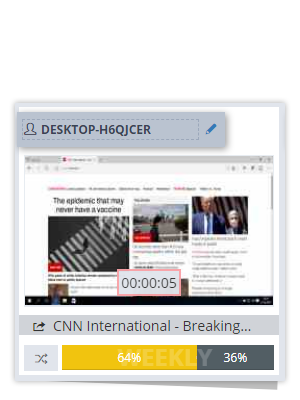
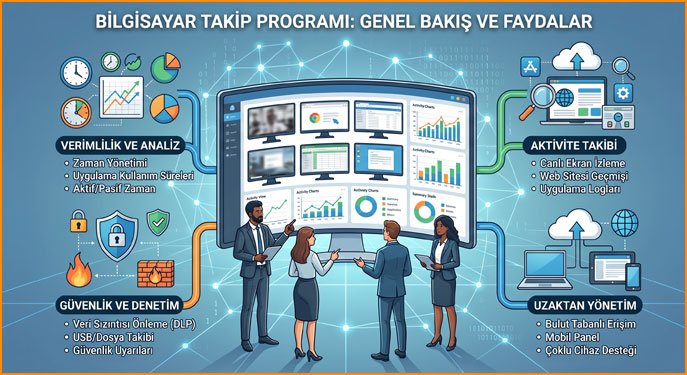
- Live Screen Monitoring and Recording: The ability to take screenshots at specific intervals or monitor employee screens live from a centralized dashboard.
- Application and Software Usage Tracking: Reporting which applications are actively used for how long and which ones are left open in the background.
- Internet and Website Audit: Logging visited websites, category-based site restrictions, and detecting platforms used for non-business purposes.
- Data Loss Prevention (DLP): USB/external disk usage restrictions, file transfer logs, and controlling the unauthorized exit of critical company data.
- Time and Activity Management: Analyzing active and passive (idle) working times based on keyboard and mouse movements.
- Detailed Reporting and Analysis: Providing employee and department-based productivity metrics on daily, weekly, or monthly periods.
Advantages Provided by Computer Monitoring Programs
- Workforce Productivity: Shows how much of the working hours are directly allocated to work, minimizing time losses.
- Remote/Hybrid Management: Makes the workflow of personnel working outside the office transparent and measurable.
- Information Security: Helps prevent sensitive customer, financial, or source code data from leaking out.
- Cost and License Optimization: Reduces software expenses by identifying company software that is purchased but not used.
Legal Aspects and Compliance
One of the most important aspects to consider when using computer monitoring software is the legal regulations (such as GDPR):
- Obligation to Inform: Employees must be given prior written notice that monitoring and logging are taking place on the computers allocated to them.
- Business Purpose Boundary: Tracking processes should be limited only to business-related data and working hours in a way that does not violate privacy.
- Data Security Standards: Collected logs must be stored encrypted on secure servers and closed to unauthorized access.
Things to Consider When Choosing the Right Software
- User-Friendly Management Panel: An uncomplicated reporting interface where data can be easily filtered.
- Impact on System Performance: It should not cause freezing or slowdowns while running in the background on client computers.
- Flexible Roles and Authorization: The ability to define authorization for department managers to view only their own teams.
- Strong Customer Support: A support infrastructure that provides rapid intervention in installations, updates, and technical glitches.
Check out our pricing plans right now Pricing Plans